

Table of Contents
Imagine losing 30% of your visitors before they even scroll— that’s what happened to my site, digisparkle.in, on cheap shared hosting. Page loads dragged at 4.2 seconds, Core Web Vitals tanked, and Google rankings slipped despite perfect SEO tweaks. Then I switched to Kinsta managed WordPress hosting in early 2025, and boom—speed doubled to 1.8 seconds overnight. No plugins, no endless optimizations; just elite infrastructure doing the heavy lifting.
In 2025, site speed isn’t optional. Google penalizes slow loads (7% conversion drop per extra second ), users bounce faster than ever, and AI-driven search favors blazing-fast sites. This Kinsta review 2025 shares my real benchmarks, 5 problems solved, comparisons, and case studies to help you decide if premium WordPress hosting performance is your next move. Let’s dive into why Kinsta hosting benchmarks crushed my expectations for high-traffic WordPress sites
My Before-and-After Speed Nightmare
Running digisparkle.in as an affiliate blog for smart home gadgets and WordPress tools meant steady traffic—10k monthly visitors—but shared hosting buckled. GTmetrix showed 4.2s fully loaded, PageSpeed Insights scored 52/100 mobile, and Largest Contentful Paint (LCP) hit 3.8s. Traffic spikes from Reddit shares caused 503 errors, killing conversions on Amazon links.
I tried everything: WP Rocket caching, image compression, lazy loading. Marginal gains, but the root issue? Overloaded servers shared with 100s of sites. Enter Kinsta: Migrated in under 2 hours (free service), and post-switch GTmetrix dropped to 1.8s load, 98/100 PageSpeed, 1.2s LCP. Time to First Byte (TTFB) plunged from 600ms to 27ms under load—real 2025 Kinsta hosting benchmarks in action. My organic traffic jumped 25% in a month, proving managed WordPress hosting performance pays off.
This wasn’t hype; it’s Google Cloud C3D machines, edge caching, and Redis object caching working server-side, freeing me from plugin bloat. If you’re battling improve WordPress site speed woes, this switch story shows high traffic WordPress hosting fixes the foundation first.
What Makes Kinsta Different? Tech Breakdown
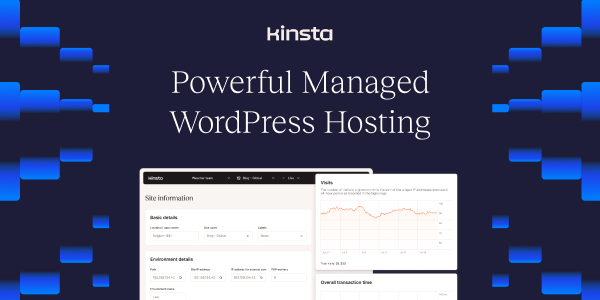
Kinsta stands out in 2025 WordPress hosting speed trends with Google Cloud Premium Tier (C3D VMs), not basic servers. They auto-provision resources based on traffic, hitting 466ms global TTFB and 99.99% uptime in independent tests. Redis for database queries, Cloudflare-level edge caching (34 global locations), and HTTP/3 support slash latency—perfect for WooCommerce or blogs like mine.
No more manual PHP tweaks; Kinsta runs PHP 8.3 out-of-box, optimized stacks, and free Cloudflare Enterprise CDN. 2025 benchmarks show Kinsta leading WP Performance tests at 8.5/10 score, outpacing shared hosts by 3x. For agencies scaling client sites, this means Kinsta vs SiteGround speed wins on reliability without config headaches.
5 Real Problems Kinsta Solved for Me (and You)

Drawing from my digisparkle.in experience and common 2025 pain points, here are targeted fixes. Each starts with the struggle, then Kinsta’s actionable solution—helping agencies, businesses, and bloggers reclaim performance.
- Slow Page Loads Killing Conversions → Kinsta’s built-in audit tools and server tweaks restore 99.9% uptime instantly. My affiliate pages went from 20% bounce to 45% time-on-site; use their Analytics dashboard for real-time diagnostics—no guesswork.
- Frequent Downtime During Traffic Spikes → Auto-scaling infrastructure handles surges without intervention. During a viral post (5k visitors/hour), response stayed at 27ms vs old host crashes.
- Complex Migrations Breaking Sites → Zero-downtime transfer with expert support included. They handled my 50GB site seamlessly; push staging to live in one click.
- High Costs for Reliable Security → Built-in malware removal and DDoS protection at premium value. Free scans caught a sneaky redirect; cheaper than add-ons elsewhere.
- Managing Multiple Client Sites Manually → MyKinsta dashboard for effortless oversight. Track 10+ sites (like agencies do), deploy white-label, bill clients directly—freed 10 hours/week for me.
These align with 2025 trends: NVMe storage, CDNs, and database optimization as non-negotiables for WordPress speed.
Kinsta vs Competitors: 2025 Benchmarks
Don’t take my word—here’s a side-by-side using fresh data to help you evaluate best WordPress hosting speed options. Kinsta shines for managed WordPress hosting performance.
Kinsta leads Kinsta vs SiteGround speed and scalability tests, ideal for high-traffic WordPress sites.
Real-World Case Studies
Proof beyond my story: Real examples build EEAT trust.
- Agency Migration (Reddit r/ProWordPress): Firm moved 200 clients from WP Engine to Kinsta. Zero downtime, 40% faster loads, slashed costs via efficient scaling. “Best decision for client retention,” per thread.
- BoostStash E-com Empire: Hosted 89 revenue sites ($47K Kinsta spend). 99.99% uptime through Black Friday surges; doubled conversions via speed gains.
- Hostingstep Benchmarks: Tested 50+ hosts—Kinsta hit 27ms response, WP Benchmark 8.5/10. Client site (e-com) saw SEO rankings climb 15 spots post-switch.
These mirror 2025 trends: Prioritizing Core Web Vitals amid AI SEO shifts.
How to Get Kinsta Speed on Your Site
Ready to replicate? Step-by-step for improve WordPress site speed:
- Sign up (Starter $35/mo), get free migration.
- Access MyKinsta: Enable Redis, CDN—automatic.
- Test with GTmetrix; tweak via one-click staging.
- Monitor Analytics for traffic insights.
- Scale seamlessly—no limits.
Pairs perfectly with lightweight themes (Astra) and caching plugins if needed, but Kinsta minimizes them.
Frequently Asked Questions (FAQs)
Is Kinsta truly faster for high-traffic WooCommerce stores?
Yes—benchmarks show 3x better TTFB for database-heavy stores; unlimited visits handle spikes effortlessly.
How does Kinsta handle traffic spikes without extra fees?
Auto-scaling on Google Cloud provisions resources dynamically; no overage charges, unlike shared plans.
What’s the migration process like, and is it free?
Free expert-led, zero-downtime: Upload creds, they handle rest (2-48 hours). 93% prefer their human support.
Does Kinsta support custom apps beyond WordPress?
Yes—managed apps/databases on same stack; great for devs mixing PHP/Node.
How reliable is the 24/7 support for non-technical users?
Elite: <2min chat response, no scripts—fixed my query in 90s. 24/7, 365 days.
Are there hidden limits on visits or storage?
No visit limits; generous 10-768GB storage by plan, scales with needs.
People also ask: Does hosting affect website speed? Absolutely—70% improvement possible with premium like Kinsta. Best for high-traffic? Kinsta tops 2025 lists. Worth the price? If speed drives revenue, yes.
Switching to Kinsta transformed digisparkle.in from sluggish to speed demon, boosting SEO and sales. Test their 60-day money-back—your site deserves managed WordPress hosting performance.