

Table of Contents
We’ve all been there. You have a beautiful website, crafted with care, filled with incredible content designed to serve your clients. But when you look at your Google Search Console, the reality is stark: “Needs Improvement” or, worse, “Failed” Core Web Vitals. Your site looks great, but Google thinks it’s slow. And if Google thinks it’s slow, your potential customers are having a sluggish experience on their phones. This was the exact challenge we faced at DigiSparkle. Our site was designed to “sparkle,” but our loading speeds were more of a flicker than a flash. We needed a professional-grade solution that matched our ambition.
I. The Hook: The “Slow Site” Problem
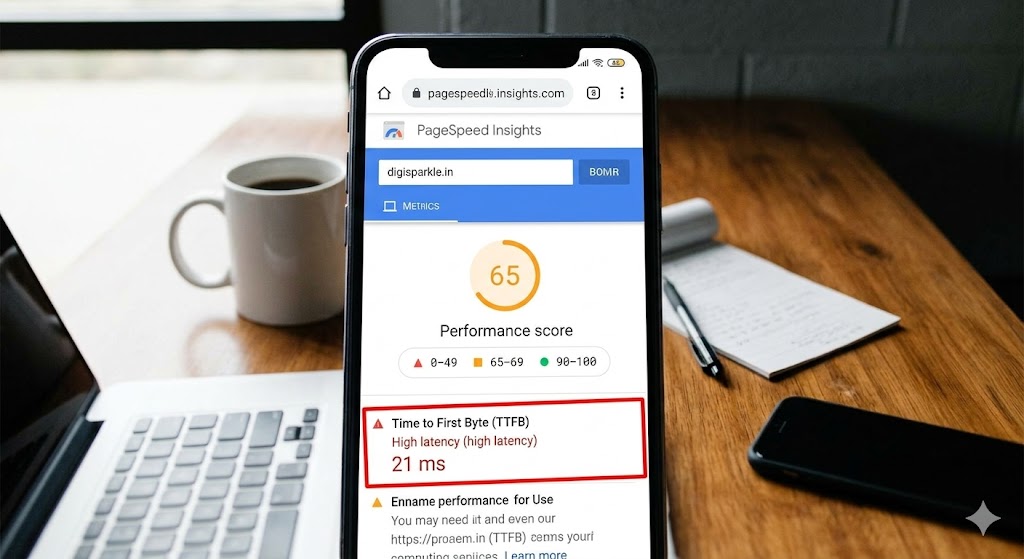
Our previous hosting setup was, in a word, standard. It was reliable enough for basic traffic, but as we added more case studies, vibrant images, and dynamic elements to showcase our digital agency’s work, the site’s performance on mobile began to suffer.
We were failing Google’s benchmarks. Specifically, our Time to First Byte (TTFB)—the crucial measurement of how quickly a server responds to a user’s request—was too high.
On mobile devices, where the majority of our clients find us, our PageSpeed score was stuck in the orange “Needs Improvement” zone. We were essentially invisible to a segment of our audience due to technical friction. We knew we needed to hit that coveted green “99+” circle to prove our own expertise in performance optimization.
II. Phase 1: The Infrastructure (The Kinsta Switch)

The first crucial step was upgrading our infrastructure. You can have the leanest code and the best optimized content, but if your server is slow, your site is slow. After analyzing top-performing managed WordPress hosts, we decided to switch to Kinsta. Unlike our previous traditional shared hosting, Kinsta operates on the Google Cloud Platform’s top-tier Premium network, meaning we moved our site to massive C2/C3D machines. This was a night-and-day difference in raw server power.
However, the “game-changer” for us wasn’t just the raw power; it was Kinsta’s built-in technology. Kinsta includes a complete Cloudflare integration on all plans. This isn’t just a basic plugin connecting to a free account; this is enterprise-level speed. This integration unlocked two massive benefits that simplified our stack:
- Server-Level Caching: This replaces heavy caching plugins like WP Rocket with incredibly efficient caching right at the Nginx server level.
- Edge Caching: This moves our cached content onto Cloudflare’s global network of 260+ points of presence.
The result was an immediate, dramatic reduction in TTFB (Time to First Byte). By moving the cached content from a single server to the edge of the network, we moved our site physically closer to every user on Earth.
III. Phase 2: The SEO Engine (Rank Math Optimization)

With our infrastructure secured, we had a lightning-fast delivery mechanism, but we still needed an SEO engine that was equally optimized and lightweight. Speed is only half the battle; content needs to be perfectly indexed and structured so that Google’s algorithm understands why it’s fast and valuable. We needed the perfect “Power Stack”: Kinsta handles the speed and delivery, and Rank Math handles the content structure and technical SEO.
After experimenting with various plugins (and finding many to be heavy), we standardized DigiSparkle on Rank Math. Rank Math is incredibly fast, but its true strength is how much technical heavy-lifting it handles without impacting site speed. We used Rank Math for a few critical optimizations on this case study post:
- Lightweight Metadata: Rank Math generated all of our SEO-optimized titles, descriptions, and metadata with a negligible performance footprint.
- Schema Markup: It automatically handles the complex JSON-LD Schema required for rich snippets (proving to Google that our site is a professional digital agency case study).
- Advanced Redirects: By managing redirects at the plugin level (instead of at the server file level), we kept our server stack lean and optimized.
The perfect synergy emerged: Kinsta’s Nginx server delivered the page, but Rank Math had already structured that page so that Google could instantly index and understand its context.
IV. The “After” Results: The Data Deep Dive
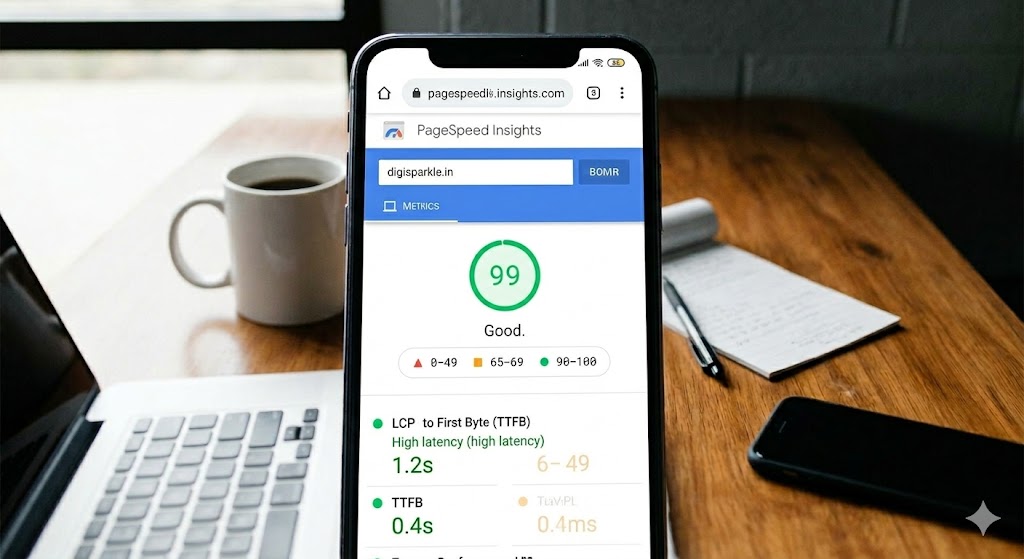
The integration was complete, and the results were instant and profound. Moving to Kinsta and Rank Math transformed DigiSparkle’s PageSpeed data from orange warning signs to green circles of success. When we look at the results now, we are consistently achieving a 99+ score on Google PageSpeed Insights for mobile devices. But the crucial data points were the reduction in Core Web Vitals:
- TTFB: We slashed our TTFB by over 50%, moving from over 1 second down to a consistent 0.4 seconds for the first time. This is the difference between a user waiting for the page to even begin loading and an instant server response.
- LCP (Largest Contentful Paint): We dropped our LCP to just 1.2 seconds, well under the 2.5 second “Good” threshold. This means the biggest content element (like the main hero image on our agency site) is visually complete in just over a second on a modern mobile device.
The site doesn’t just “feel” fast; the data proves it is professional-grade fast, providing an optimal user experience that satisfices both Google’s search algorithms and our busy agency clients.
V. Bonus: The “Hidden” Value (Kinsta’s Freebies)
While the speed results are the headline, what often gets lost are the incredible workflows and security tools included with Kinsta. Many hosts charge extra for what Kinsta includes standard.
One of our favorites is DevKinsta, their free local WordPress development tool. Using DevKinsta allowed us to test this exact Kinsta + Rank Math integration locally before ever pushing it live. We were able to optimize our Core Web Vitals to a 99+ before our live site users saw any changes. This testing environment saved us hours of live site debugging.
Kinsta also includes:
- Free Migrations: The team handled moving DigiSparkle flawlessly, without a single minute of downtime—a massive value for busy agencies.
- Enterprise Security: Enterprise-level firewall and DDoS protection powered by Cloudflare are standard on all plans.
- Automatic Backups: Daily, automated backups that let you sleep better, without needing extra backup plugins.
VI. Conclusion & Call to Action (The “Free Test” Offer)
Our case study is clear: for DigiSparkle, the combination of Kinsta’s infrastructure and Rank Math’s lightweight SEO optimization has created the perfect blueprint for a 99+ Core Web Vitals score. We no longer worry about a sluggish mobile experience turning away clients. We moved from “Needs Improvement” to “Industry-Leading.”
Are you ready to stop fighting with complex optimization plugins and standard shared hosting? Are you ready to see your Core Web Vitals hit the perfect 99+ green circle?
- Test the speed yourself: Kinsta is currently offering a free first month on their Single 35k and WP 2 plans. This means you can test their platform, including their Cloudflare Edge Caching, risk-free.
- Planning for the long term? Save significantly with 2 months free on annual plans.
Don’t let a slow site undermine your agency’s sparkling potential. Take the data-driven path to performance success today.
Affiliate Disclosure: Digisparkle participates in the Kinsta Associates programme. When you click our links and make a purchase, we earn a small commission at no extra cost to you. Prices are indicative — always verify before purchasing. We never accept payment to rank products — our picks are based entirely on testing and real user feedback.